
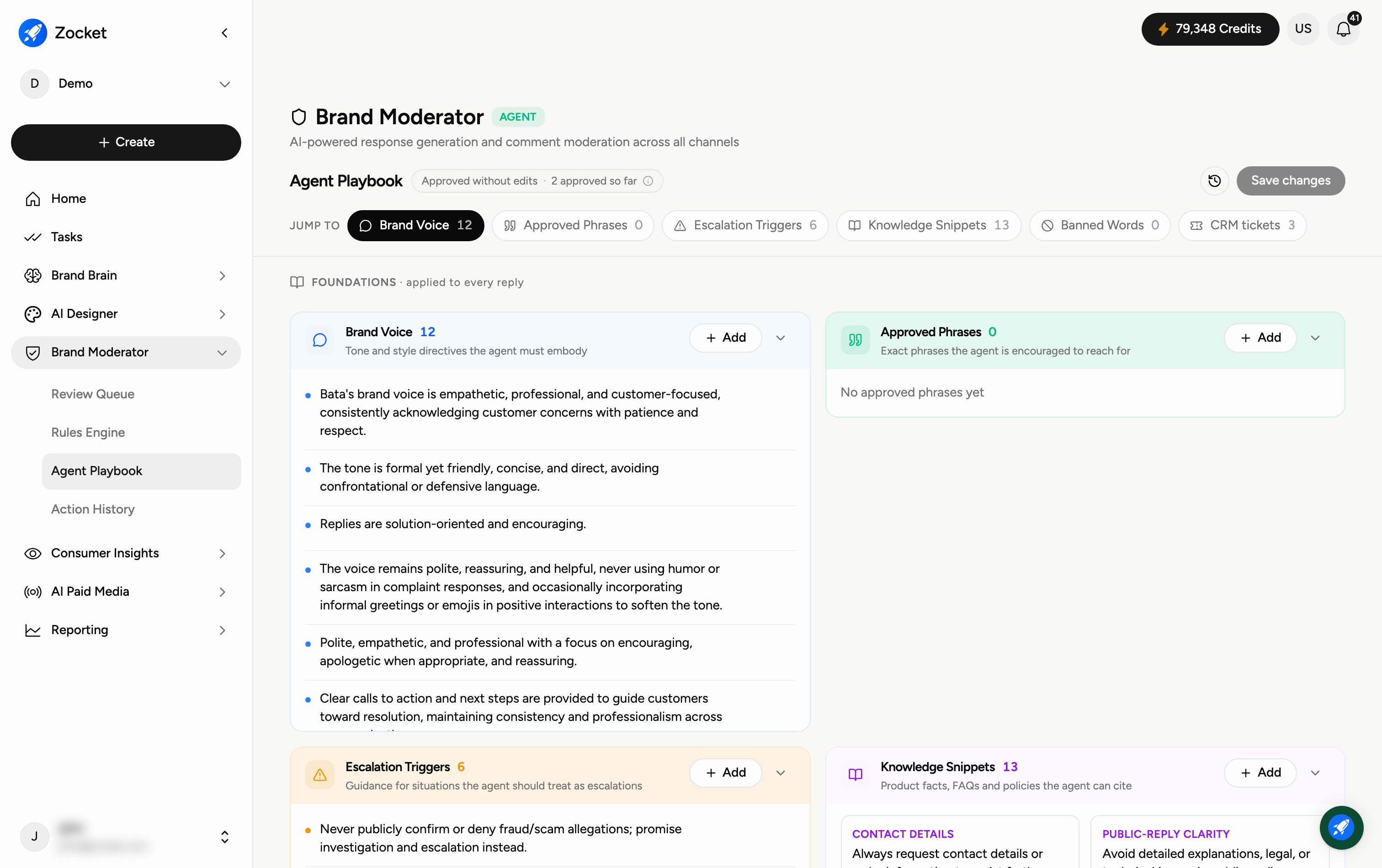
The Agent Playbook is the document that controls how the AI agent writes responses. Editing it effectively reprograms the agent — it's where you set your brand voice and the rules the agent must follow. Open it from Brand Moderator → Agent Playbook.
Why you'd use it
The voice foundation every AI-drafted reply is grounded in. Agent Playbook holds your brand tone, approved response templates by category, do/don't language, and the version history of how the voice has evolved. It's the difference between "an AI that replies" and "an AI that replies like your brand."
Step 1 — Edit and save the playbook
The playbook is a rich-text document. Use the formatting toolbar (headings via Block type, bold, italic, underline, lists, links) to structure it. When you're happy, click Save playbook to apply your changes to the live agent. Use Version History to review or roll back to earlier versions.
Step 2 — Write your voice and guardrails
A good playbook usually has three parts:
Brand Voice — the overall tone (for example empathetic, professional, solution-oriented; avoid sarcasm).
Sub-brand Voices — any tweaks per sub-brand or product line.
Guardrails — the hard dos and don'ts (for example "always move refunds to a private DM", "never confirm or deny fraud allegations publicly"). These keep the agent safe.
When to come here
When onboarding a new brand voice. After a wave of rejected drafts, to codify the fix. When a sub-brand or campaign needs its own tone.
Frequently Asked Questions
What actually changes when I edit this?
Every reply the agent drafts in the Review Queue follows this playbook — tone, phrasing, and the guardrails. Edit here and future drafts change accordingly.
What are guardrails for?
They're the non-negotiables — things the agent must always do (ask for order details, move sensitive issues to DM) or never do (make legal claims, argue with customers).
Can I have different voices for different brands?
Yes — add Sub-brand Voices so each product line or sub-brand replies in its own tone while sharing the main guardrails.
What if I make a mistake?
Use Version History to compare and restore an earlier version — nothing is lost.
How is this different from the Rules Engine?
The Rules Engine decides which comments get handled and how (auto-respond or review). The Agent Playbook decides how the reply is written once a rule fires.
Do changes apply immediately?
They apply when you click Save playbook.