
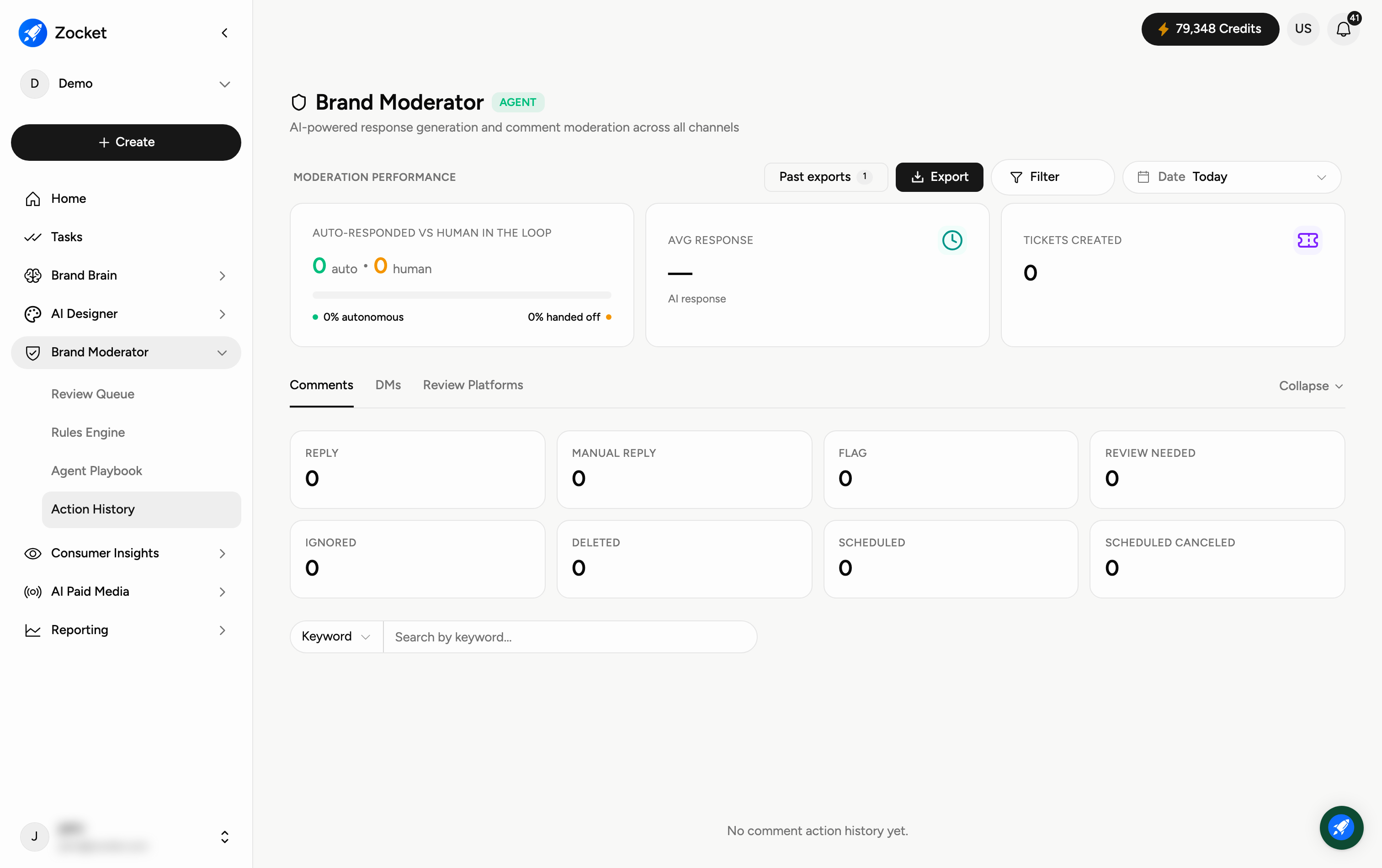
Action History is the record of everything Brand Moderator has done — every item it replied to, flagged, sent for review, ignored, deleted, scheduled, or turned into a ticket. It is your audit trail for moderation, and the place to see how much the agent is handling on its own. Open it from Brand Moderator → Action History.
Why you'd use it
A complete, auditable record of everything the moderation team and the agent did — what was replied to, flagged, escalated, ignored or scheduled, and how much of it the agent handled without a person. It is the evidence for how the queue is actually being run.
Step 1 — Read the moderation performance summary
The Moderation performance block at the top answers the question everyone actually asks — how much is automated?
Auto-responded vs human in the loop — the split between what the agent handled itself and what a person had to touch, shown as counts and as a % autonomous and % handed off.
Avg response — how long an AI response typically takes.
Tickets created — how many items were escalated into your CRM or support system.
Use Filter and the Date range to scope the whole block, Export to download it, and Past exports to get back to one you already generated.
Step 2 — Pick the channel type
Three tabs split the history by where the item came from: Comments, DMs, and Review Platforms. Use Collapse to fold the detail away once you have what you need.
Step 3 — Read the action breakdown
Under the tabs, each kind of outcome is counted separately, so you can see exactly what the agent did rather than just how much:
Reply — the agent answered.
Manual reply — a person answered.
Flag — raised for attention.
Review needed — routed to the Review Queue.
Ignored — dismissed.
Deleted — removed.
Scheduled and Scheduled canceled — queued to send later, and queued then called off.
Step 4 — Find a specific action
Use the Keyword search to find a particular item. If you see "No comment action history yet", either nothing matches your filters or the agent hasn't acted in this workspace yet — widen the date range before assuming the latter.
When to come here
During a compliance or client audit. In a weekly ORM review, to report throughput and SLA adherence. When investigating a specific reply that went out.
Frequently Asked Questions
How is this different from the Review Queue?
The Review Queue shows what is waiting for a decision now. Action History shows what has already happened — a permanent log.
How do I tell how autonomous the agent actually is?
Read the auto-responded vs human in the loop split. The % autonomous figure is the honest number: everything else needed a person.
What's the difference between Reply and Manual reply?
Reply is the agent answering on its own. Manual reply is a person writing or approving the answer.
What does "Tickets created" mean?
Items escalated to your CRM or support system for a team to follow up beyond the reply itself.
Can I get this out of Zocket?
Yes — Export downloads the current view, and Past exports lists the ones you have already run.
Why is it empty?
Either the filters exclude everything — the Date filter often defaults to Today — or the agent hasn't taken actions in this workspace yet.