Sub-Brands breaks your consumer intelligence down by brand and sub-brand — so you can see how each one is performing on its own, then drill in for detail. Open it from Consumer Insights → Sub-Brands.
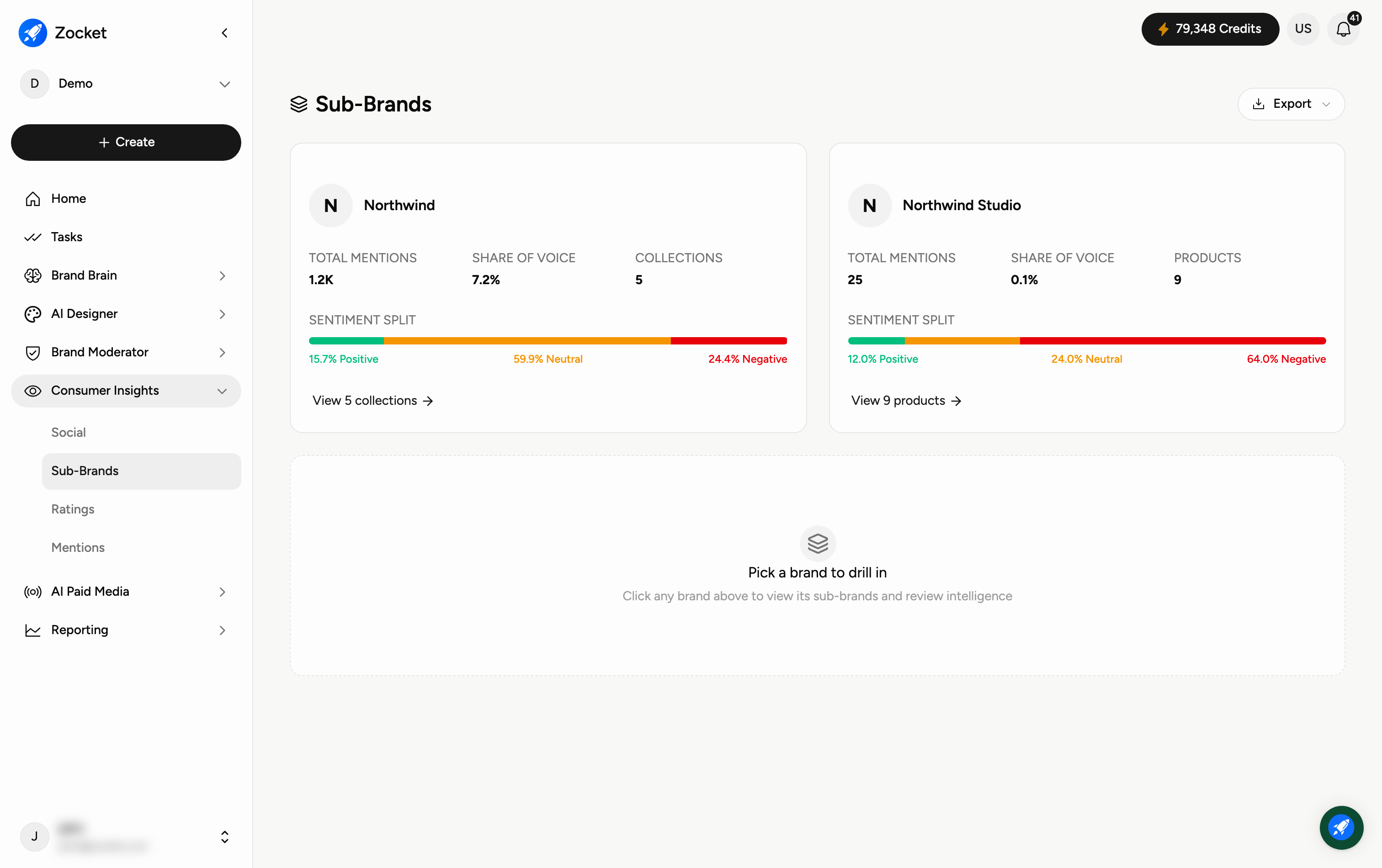
Shows you how each sub-brand line is performing in customer perception. Useful when the master brand looks healthy but one sub-brand is silently dragging, a common pattern in multi-line consumer brands.
Each brand shows a summary card with Total Mentions, Share of Voice, and a Sentiment Split bar breaking mentions into percentage positive, neutral and negative. The third figure depends on how that brand is organised — some show Collections (grouped sets of mentions), others show Products. The link at the bottom of the card follows whichever it is: View collections or View products. Use Export (top-right) to download the data.
Click any brand card to drill in and review its sub-brands and detailed intelligence (the panel prompts "Pick a brand to drill in"). Use View collection on a card to open the grouped mentions behind it.
Quarterly sub-brand reviews. Before a portfolio rationalization conversation. When a product line is being considered for relaunch or sunset.
What's a "sub-brand" here?
A brand or product line grouped under your main brand, so you can track each separately — for example a parent brand and its individual product ranges.
What's the Sentiment Split?
The share of mentions that are positive, neutral, or negative — a quick read on how each brand is perceived.
What are "Collections" and "Products"?
Both are ways a brand's mentions are grouped. Collections are grouped sets of mentions; Products breaks it down by individual product. A card shows whichever applies to that brand — click through to open them.
How is this different from Social Intelligence?
Social Intelligence is the overall dashboard; Sub-Brands splits the same kind of intelligence out per brand and sub-brand so you can compare them.
Can I export it?
Yes — use Export to download the sub-brand data.
