
Connectors is where you connect your ad-platform and analytics accounts to enable AI Paid Media features. This is the first thing to set up — until you connect an account, the Overview and Goals show zeros. Open it from AI Paid Media → Connectors.
Why you'd use it
The single place where you wire Zocket up to your ad and analytics accounts — Google Ads, Meta Ads, Google Analytics, AppsFlyer and CleverTap. Until something is connected here, the Overview and Goals pages have no data to show.
Step 1 — See what you can connect
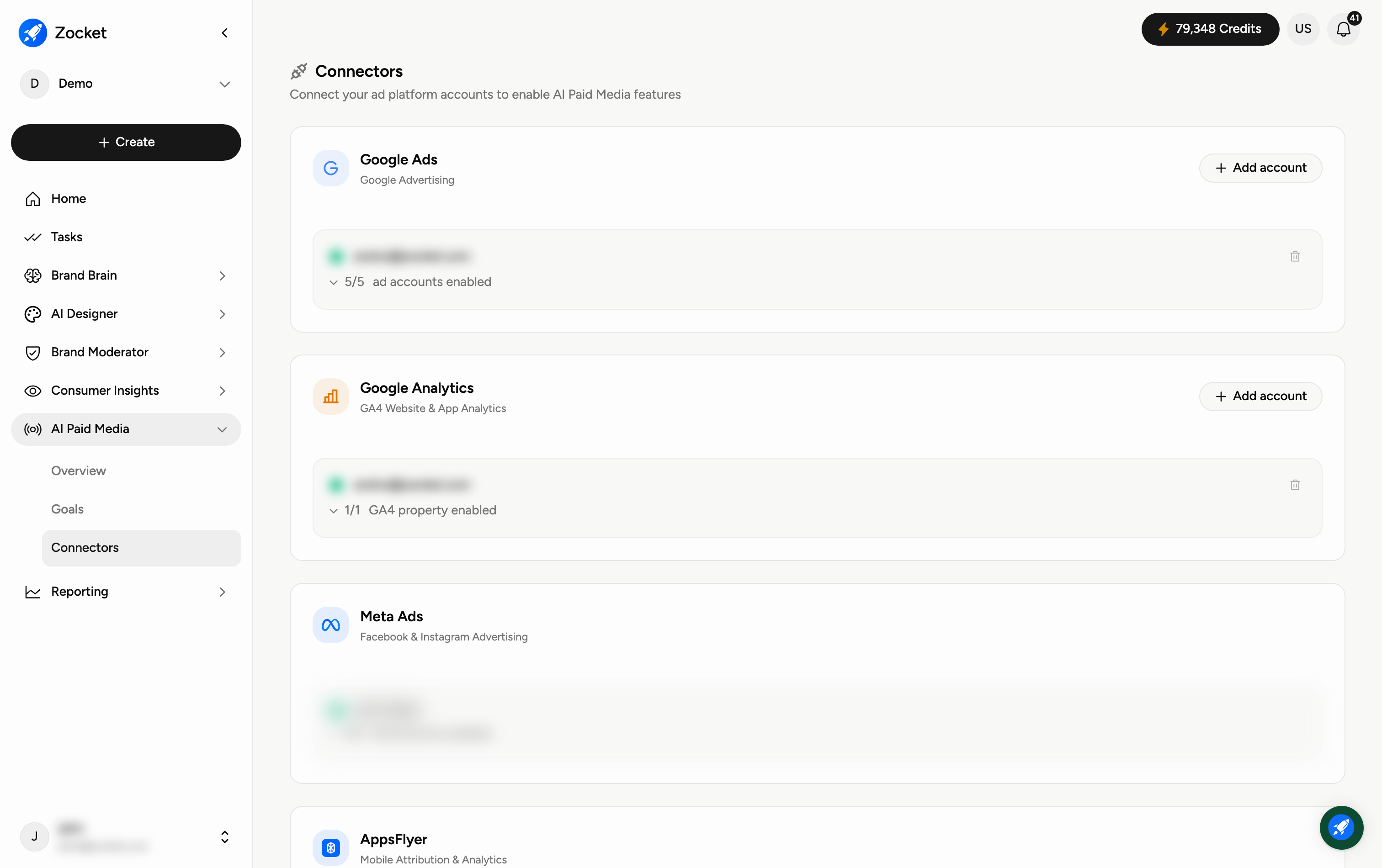
Each card is an integration you can link:
Google Ads — your Google advertising account.
Google Analytics — GA4 website and app analytics.
Meta Ads — Facebook and Instagram advertising.
AppsFlyer — mobile attribution and analytics.
CleverTap — customer engagement and lifecycle analytics.
Step 2 — Connect an account
Each card shows the platform name, what it's for, and its connection status. An unconnected platform shows Connect; a connected one shows which account is linked, an Add account option for attaching more, and Disconnect.
Connected platforms also show how many of that account's assets are switched on — for example ad accounts enabled out of the total available, GA4 properties enabled, or apps enabled. This matters: an account can be connected while the specific ad account you care about is still switched off, which looks exactly like "no data".
When to come here
Day one of onboarding. When a new ad account is created and needs to be added. When troubleshooting why analytics look empty.
Frequently Asked Questions
Why do I need to connect anything?
AI Paid Media reads live data from your ad and analytics accounts. No connection means no data — that's why the Overview shows zeros and Highlights flags "no account assigned."
Which should I connect first?
Your active ad platforms — Google Ads and Meta Ads. Add Google Analytics for site and app conversions, and AppsFlyer or CleverTap if you run mobile apps.
Is it safe to connect?
You authorise access through each platform's own secure sign-in; you can disconnect at any time from this page.
Can I connect more than one account per platform?
Yes — use Add account on the platform's card. Each connected account is listed separately.
I connected an account but still see zeros — why?
Check three things, in order: that the specific ad accounts or properties are enabled on the card (the "N of M enabled" count), that the campaigns actually have spend or impressions in the selected date range, and that enough time has passed for the first sync. If a platform has no account assigned, the Overview Highlights will say so.