
UGC Video Creator makes AI influencer-style videos with authentic voiceovers and talking heads — the kind of casual, creator-made content that performs on social. Open it from AI Designer → Apps → UGC Video Creator.
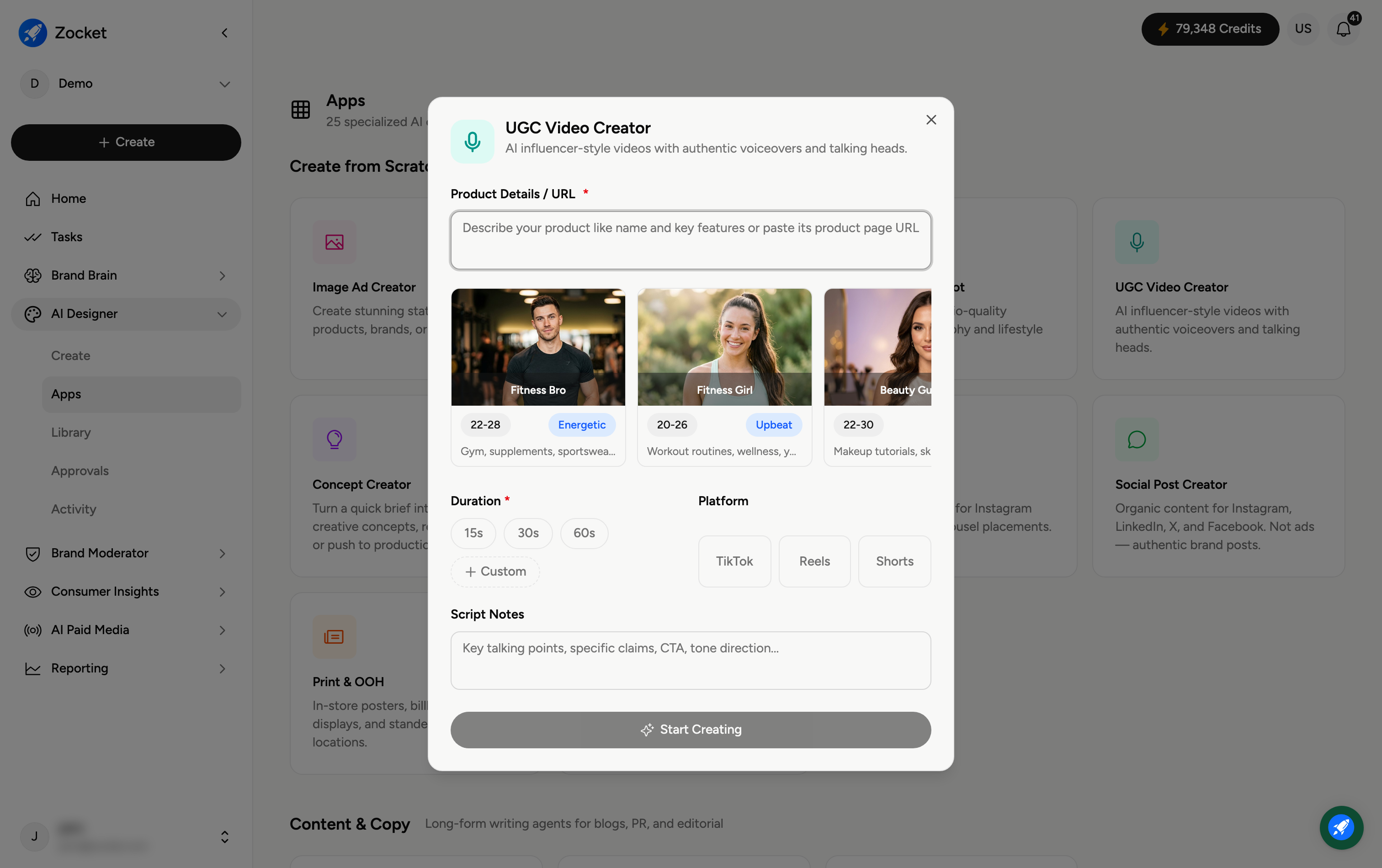
Step 1 — Describe your product and pick a creator
In Product Details / URL (required), describe your product or paste its URL. Then choose a creator persona to front the video — for example Fitness Bro (energetic, gym and supplements), Fitness Girl (upbeat, workouts and wellness), or Beauty Guru (makeup and skincare). Each card shows the persona's age range, vibe, and niche; scroll for more options.
Step 2 — Set duration, platform, and script notes
Duration (required) — 15s, 30s, 60s, or Custom.
Platform — TikTok, Reels, or Shorts, so the format fits.
Script Notes — key talking points, specific claims, your call-to-action, and the tone direction you want the creator to hit.
Step 3 — Start creating
Click Start Creating. It opens in Create, where the agent generates the UGC video with an AI presenter and voiceover, and you refine it in chat. The finished video is saved to your Library.
Frequently Asked Questions
What makes UGC videos different from Video Ads?
UGC videos look like authentic content from a real creator (a talking head with a natural voiceover), rather than a produced brand ad. They tend to feel more trustworthy on TikTok, Reels and Shorts.
How do I pick the right persona?
Match the creator to your audience and product niche — a fitness persona for supplements, a beauty persona for skincare, and so on. The persona's vibe sets the delivery.
What should I put in Script Notes?
The must-say points: your key claim or offer, the call-to-action, and the tone (hype, calm, informative). The AI writes the script around these.
Can I use my own product footage?
Describe the product and, where supported, add references so the AI represents it accurately. The presenter and voiceover are AI-generated.
Where does the video go?
It's saved to your Library (AI Designer → Library) for reuse or download.