
Reels & Stories turns a product or subject into a native vertical Reel, Story, TikTok, or Short — built so the hook fires in the first one to two seconds, locked to 9:16 and scoped to your chosen length. Open it from AI Designer → Apps → Reels & Stories.
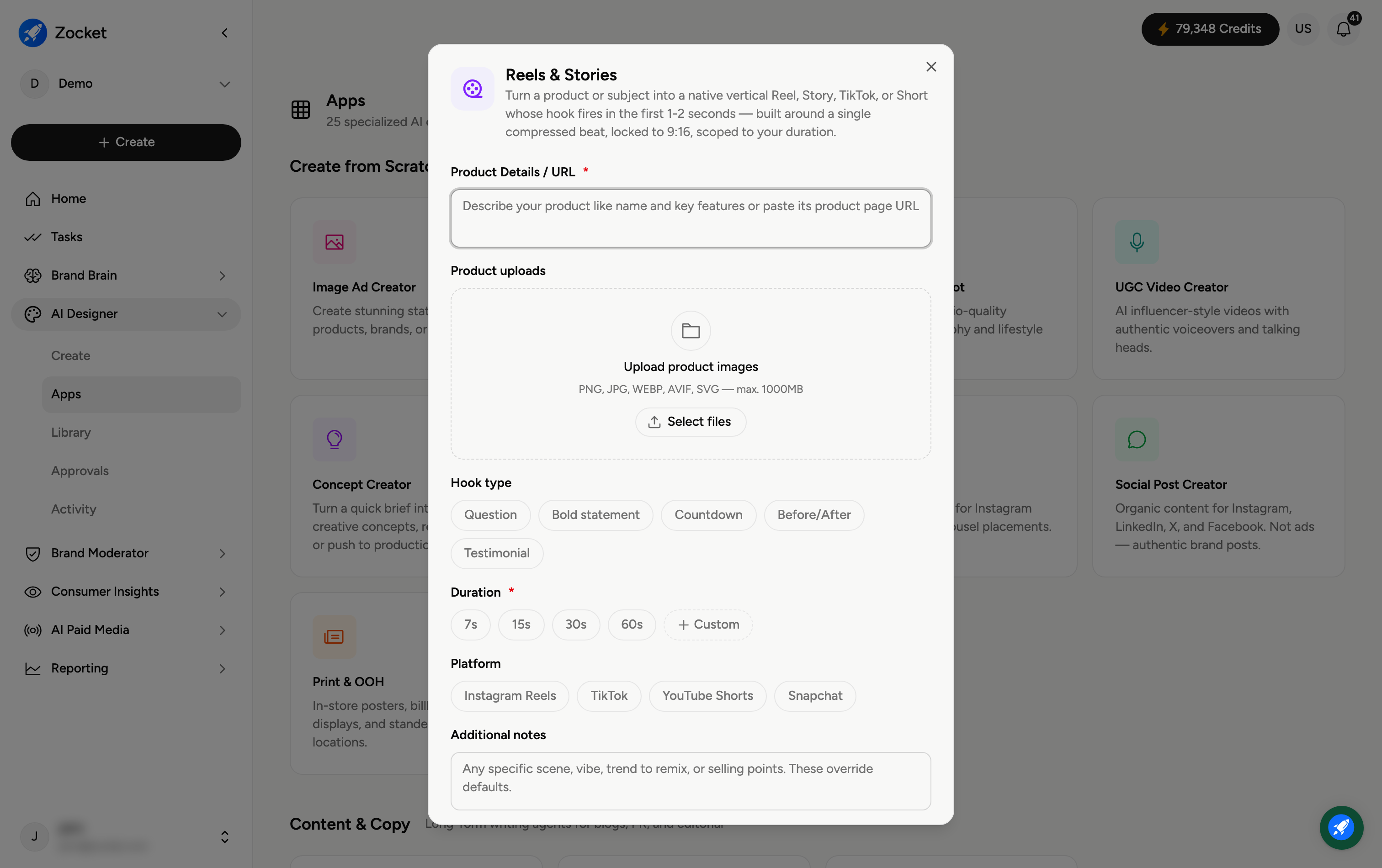
Step 1 — Describe your product and pick a hook
Enter Product Details / URL (required), and use Upload product images → Select files to add visuals (PNG, JPG, WEBP, AVIF, SVG). Then choose a Hook type — the opening that grabs attention: Question, Bold statement, Countdown, Before/After, or Testimonial.
Step 2 — Set duration and platform
Duration (required) — 7s, 15s, 30s, 60s, or Custom.
Platform — Instagram Reels, TikTok, YouTube Shorts, or Snapchat.
Add anything specific under Additional notes, then generate. It opens in Create, where you refine in chat; the finished vertical video is saved to your Library.
Frequently Asked Questions
How is this different from UGC Video Creator?
Reels & Stories is built specifically for fast-hook vertical short-form (9:16), optimised so the first one to two seconds grab attention. UGC Video Creator centres on an AI creator or presenter delivering the message.
Which hook type should I choose?
Match it to your message: Question to spark curiosity, Bold statement for a strong claim, Countdown for urgency, Before/After to show a transformation, Testimonial for social proof.
Why is it locked to 9:16?
Because Reels, Stories, TikTok, and Shorts are all vertical full-screen formats — 9:16 fills the screen on mobile.
Does the platform choice change the output?
Yes — it tailors the format and pacing to that platform's norms.
Where does the video go?
To your Library (AI Designer → Library) for reuse or download.