
Social Post Creator turns one brief into a set of organic social posts, each natively sized and toned for its platform — image-dominant on Instagram, copy-forward on LinkedIn, punchy on X. These are authentic brand posts, not ads. Open it from AI Designer → Apps → Social Post Creator.
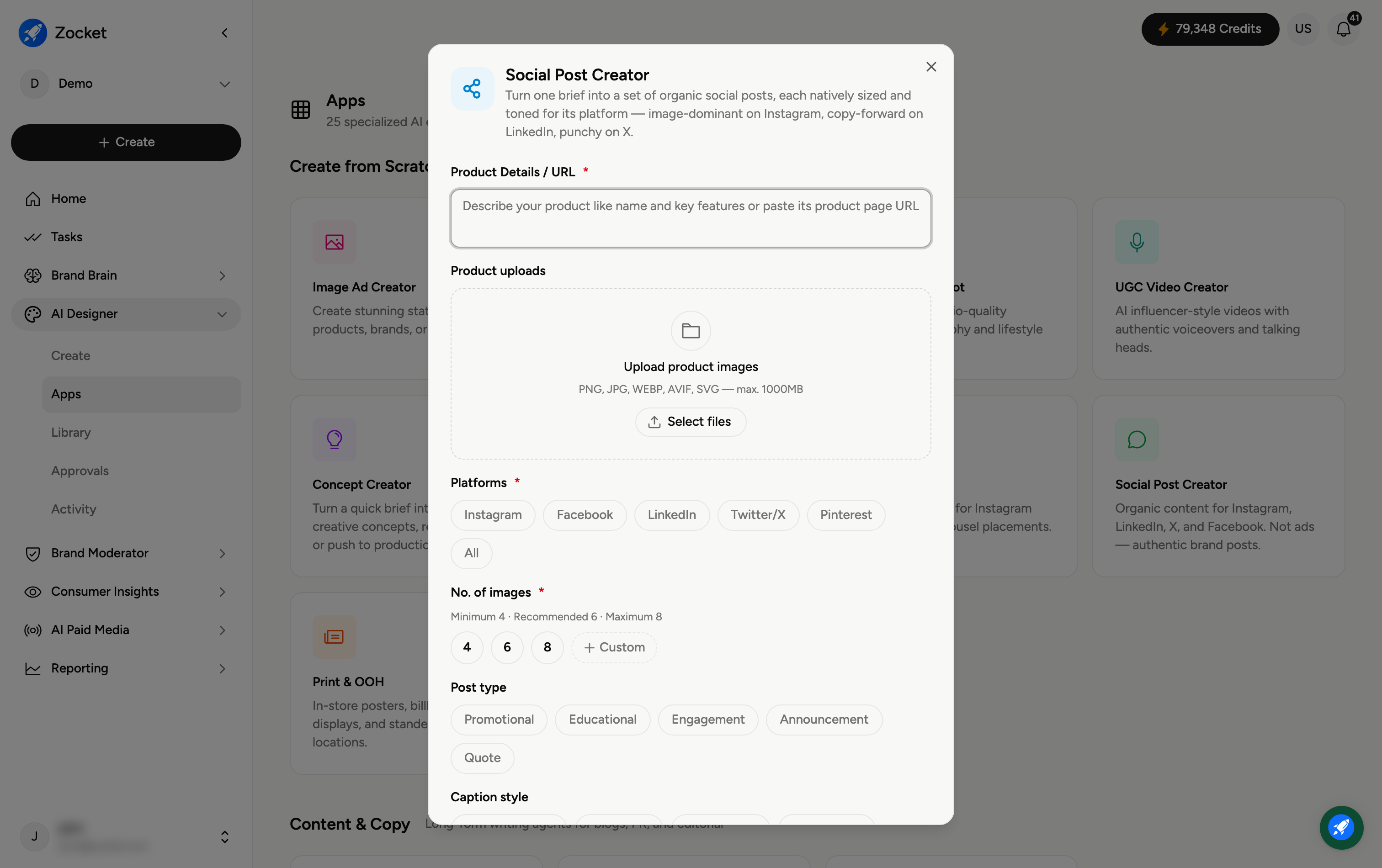
Step 1 — Describe your product and platforms
Enter Product Details / URL (required) and optionally Upload product images. Then choose your Platforms (required) — Instagram, Facebook, LinkedIn, Twitter/X, Pinterest, or All — and each post is shaped for the platform you pick.
Step 2 — Set image count and post type
No. of images (required) — 4, 6, or 8 (minimum 4, recommended 6, maximum 8), or Custom.
Post type — Promotional, Educational, Engagement, or Announcement, so the tone matches your intent.
Step 3 — Generate
Generate the set. It opens in Create, where you refine in chat — tweak the copy or visuals per platform. The finished posts are saved to your Library.
Frequently Asked Questions
How is this different from Image Ad Creator?
These are organic posts — authentic, non-ad brand content sized and toned per platform. Image Ad Creator builds paid ads aimed at a marketing goal.
What does "All" platforms do?
It creates a version of the post adapted for every supported platform at once, so you have a full set ready to publish.
Which post type should I pick?
Promotional to push a product or offer, Educational to teach, Engagement to spark replies, Announcement for news or launches.
Can I edit each platform's post separately?
Yes — refine in chat and adjust the copy or image for any individual platform.
Where do the posts go?
To your Library (AI Designer → Library) for reuse or download.