
Blog / PR Creator generates publish-ready articles — blogs and PR or news pieces — grounded in real data and verified before you see them. Open it from AI Designer → Apps → Blog / PR Creator.
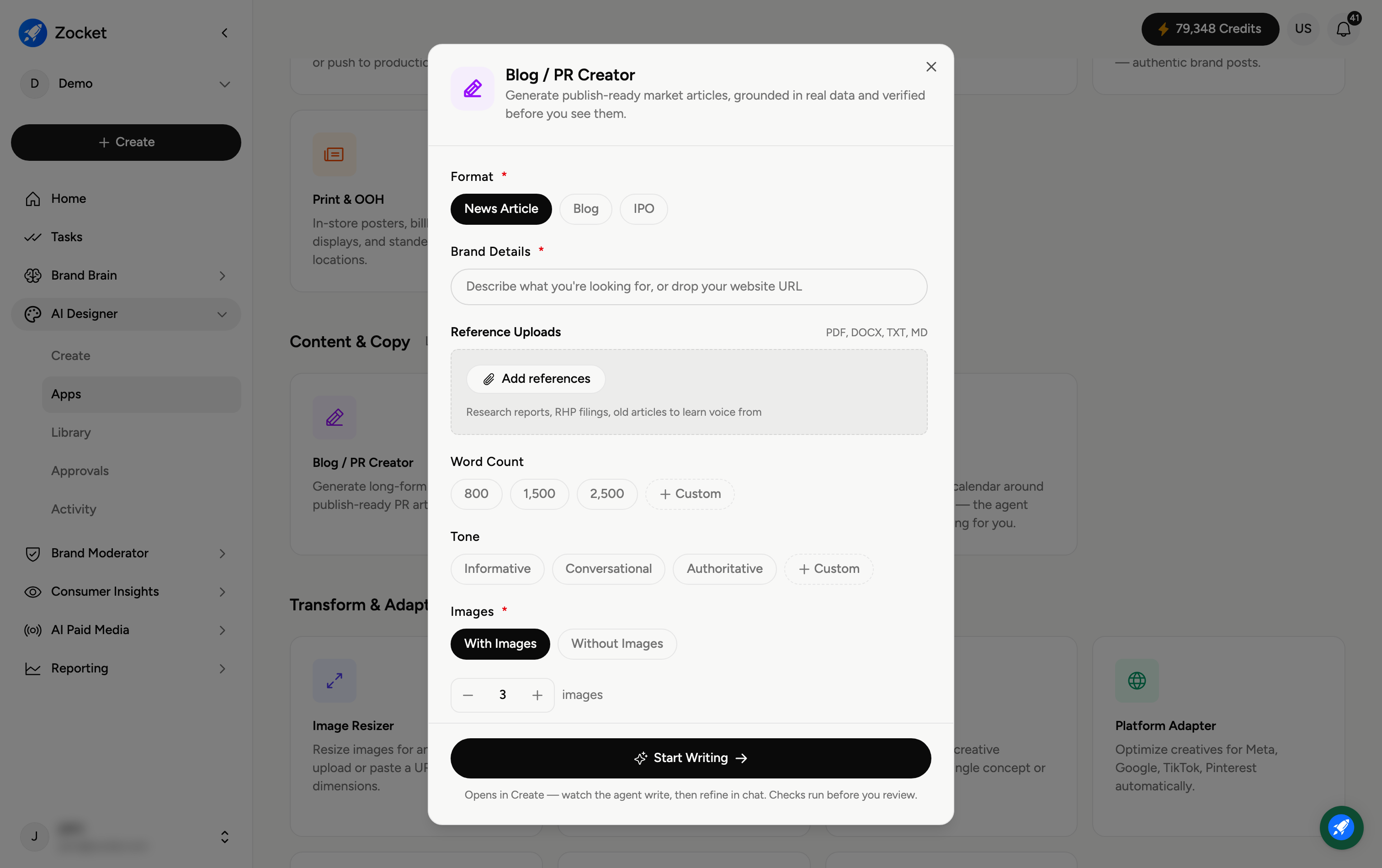
Step 1 — Choose format and give a brief
Format (required) — News Article or Blog.
Brand Details (required) — describe what you're looking for, or drop your website URL.
Reference Uploads — add research reports, filings, or old articles (PDF, DOCX, TXT, MD) so the agent can learn your voice and cite real facts.
Step 2 — Set length, tone, and images
Word Count — 800, 1,500, 2,500, or Custom.
Tone — Informative, Conversational, Authoritative, or Custom.
Images (required) — With Images or Without Images.
Step 3 — Start writing
Click Start Writing. It opens in Create, where you watch the agent write — fact-checks run before you review — then refine in chat. The finished article is saved to your Library.
Frequently Asked Questions
What does "verified before you see them" mean?
The agent runs checks on the facts and claims before presenting the draft, so you're reviewing something already grounded in real data rather than unchecked AI text.
What's the difference between News Article and Blog?
News Article is a factual, PR-style piece; Blog is a longer editorial or marketing post. Pick based on where it will be published.
Why upload references?
They teach the agent your voice and give it source material (reports, filings, past articles) to draw accurate facts from.
How long should the article be?
800 words for a quick post, 1,500 for a standard article, 2,500 for in-depth; use Custom for an exact length.
Where does the article go?
To your Library (AI Designer → Library) for review, export, or publishing.