
Content Discovery lets you explore what competitors are doing and turn it into your next ad — a research step that feeds your creative. Open it from AI Designer → Apps → Content Discovery.
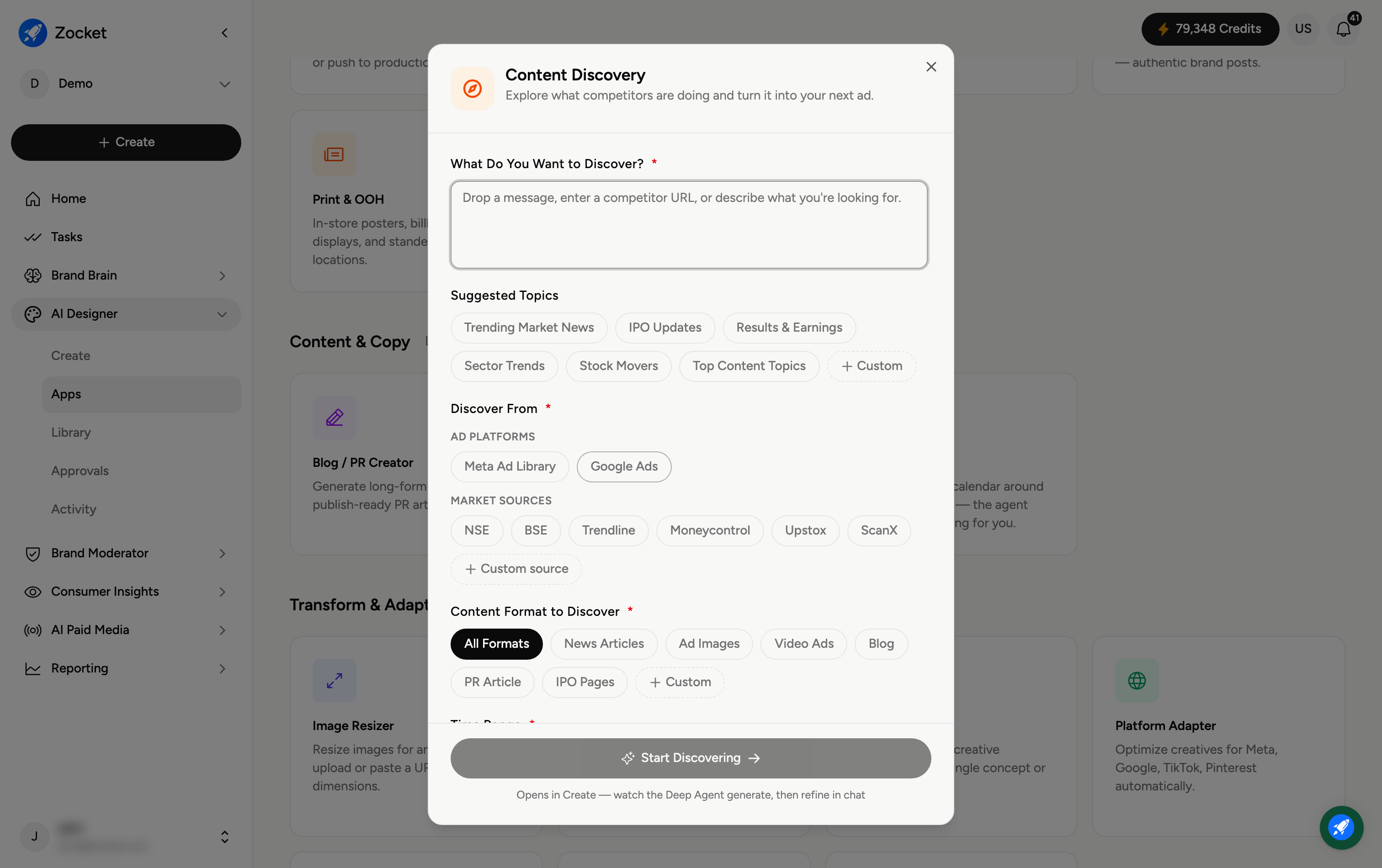
Step 1 — Say what you want to discover
In What Do You Want to Discover? (required), drop a message, paste a competitor URL, or describe what you're looking for. Not sure where to start? Click a Suggested Topic — for example Trending Market News, IPO Updates, Results & Earnings, Sector Trends, Stock Movers, or Top Content Topics (or add a Custom one).
Step 2 — Choose where to discover from
Under Discover From (required), pick your sources:
Ad Platforms — Meta Ad Library and Google Ads (see competitors' live ads).
Market Sources — NSE, BSE, Trendline, Moneycontrol, Upstox, ScanX, or a Custom source (for market and finance topics).
Step 3 — Start discovering
Click Start Discovering. It opens in Create, where the agent gathers what it finds and you refine in chat — then turn the insights straight into your next ad or article.
Frequently Asked Questions
What do I get out of it?
A research digest — what competitors are running or what's trending in your chosen sources — that you can turn directly into creative.
What's the Meta Ad Library and Google Ads option for?
They surface competitors' live ads, so you can see what's actually running and take inspiration (see also the Competitive Cloner app).
Why are there market sources like NSE and Moneycontrol?
For finance and market content, these pull real market data and news so discovery is grounded in current events. Add a Custom source for other niches.
Can I paste a specific competitor's URL?
Yes — drop their URL in the discover box to focus on that competitor.
What do I do with the results?
Refine in chat, then feed them into a creation app (for example Image Ad Creator or Blog / PR Creator) to produce the actual asset.