
Content Planner plans your content calendar around real market events — you give it the goal and it schedules everything for you. Open it from AI Designer → Apps → Content Planner.
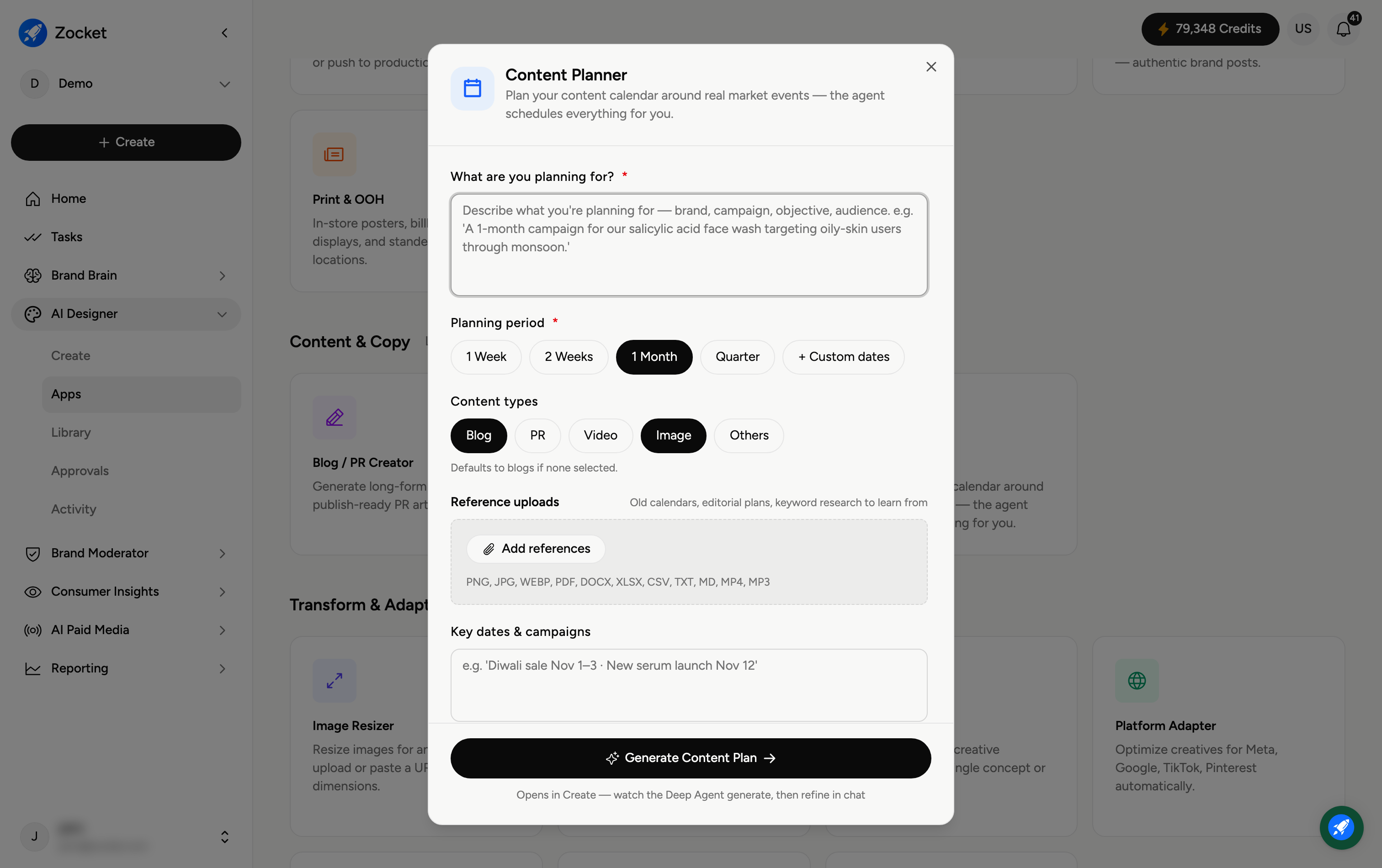
Step 1 — Say what you're planning and for how long
In What are you planning for? (required), describe the brand, campaign, objective, and audience — for example, "a 1-month campaign for our salicylic acid face wash targeting oily-skin users through monsoon." Then choose a Planning period (required): 1 Week, 2 Weeks, 1 Month, Quarter, or Custom dates.
Step 2 — Pick content types and add references
Content types — Blog, PR, Video, Image, or Others (defaults to blogs if none selected).
Reference uploads — add old calendars, editorial plans, or keyword research so the plan learns from what you've done before.
Step 3 — Generate the content plan
Click Generate Content Plan. It opens in Create, where the agent lays out a scheduled calendar — timed around relevant events — and you refine it in chat. From there each planned item can be produced with the matching creation app.
Frequently Asked Questions
What does "around real market events" mean?
The planner times your content to relevant dates and events (seasons, results, festivals), so posts land when they'll matter most.
What planning period should I choose?
One to two weeks for a short push, 1 month for a standard campaign, a Quarter for a longer strategy, or Custom dates to match a specific window.
Do I have to pick content types?
No — if you select none it defaults to blogs. Pick the mix (blog, PR, video, image) you actually want in the calendar.
How is this different from Concept Creator?
Content Planner produces a schedule (what to publish and when); Concept Creator produces creative directions for a single piece. Use the planner to map the calendar, then create each item.
Where does the plan live?
It opens in Create and is saved with your session; you can then produce and store the individual assets in your Library.