
Localization Studio translates and culturally adapts a creative for regional markets — with native-script headlines, regional layouts, and right-to-left (RTL) support where needed. Open it from AI Designer → Apps → Localization Studio.
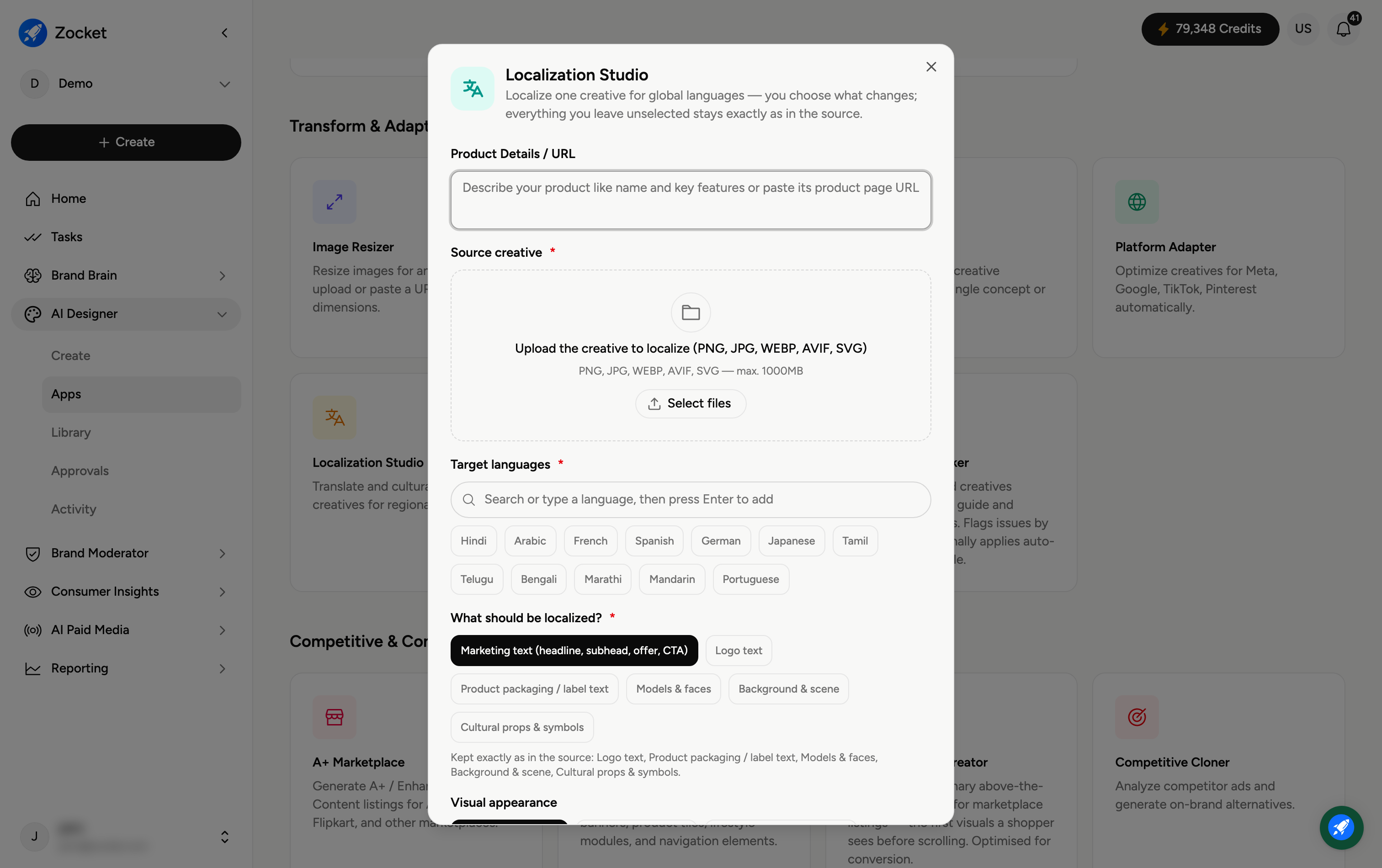
Step 1 — Provide your product and target languages
Enter Product Details / URL (required) and Upload product images. Under Target languages (required), search or click the language chips you need — for example Hindi, Arabic, French, Spanish, German, Japanese, Tamil, Mandarin, Portuguese, and more. Type a language and press Enter to add others.
Step 2 — Set visual appearance and count
Visual appearance — Keep original layout, Adapt layout for RTL (for right-to-left scripts like Arabic), or Use regional colour palette.
No. of images (required) — 1, 2, or 3 (minimum 1, recommended 2, maximum 3).
Step 3 — Localize the creative
Add any Additional notes (elements to preserve or change), then click Localize Creative. It opens in Create, where you refine in chat; the localized versions are saved to your Library.
Frequently Asked Questions
Does it just translate the text?
No — it culturally adapts: native-script headlines, regional layouts, and for languages like Arabic a right-to-left layout, not just a word-for-word swap.
When should I use "Adapt layout for RTL"?
For right-to-left languages (Arabic, Hebrew, Urdu) so the whole layout mirrors correctly instead of leaving left-to-right composition.
What does "Use regional colour palette" do?
Adjusts colours to suit the target market's cultural expectations, rather than keeping the original palette everywhere.
Can I localize into several languages at once?
Yes — add multiple target languages and it produces a version for each.
Where do the localized creatives go?
To your Library (AI Designer → Library) for download.