
A+ Marketplace generates A+ / Enhanced Brand Content for Amazon, Flipkart, and other marketplaces — a full module deck: hero, features, lifestyle, specs, comparison, and brand story. Open it from AI Designer → Apps → A+ Marketplace.
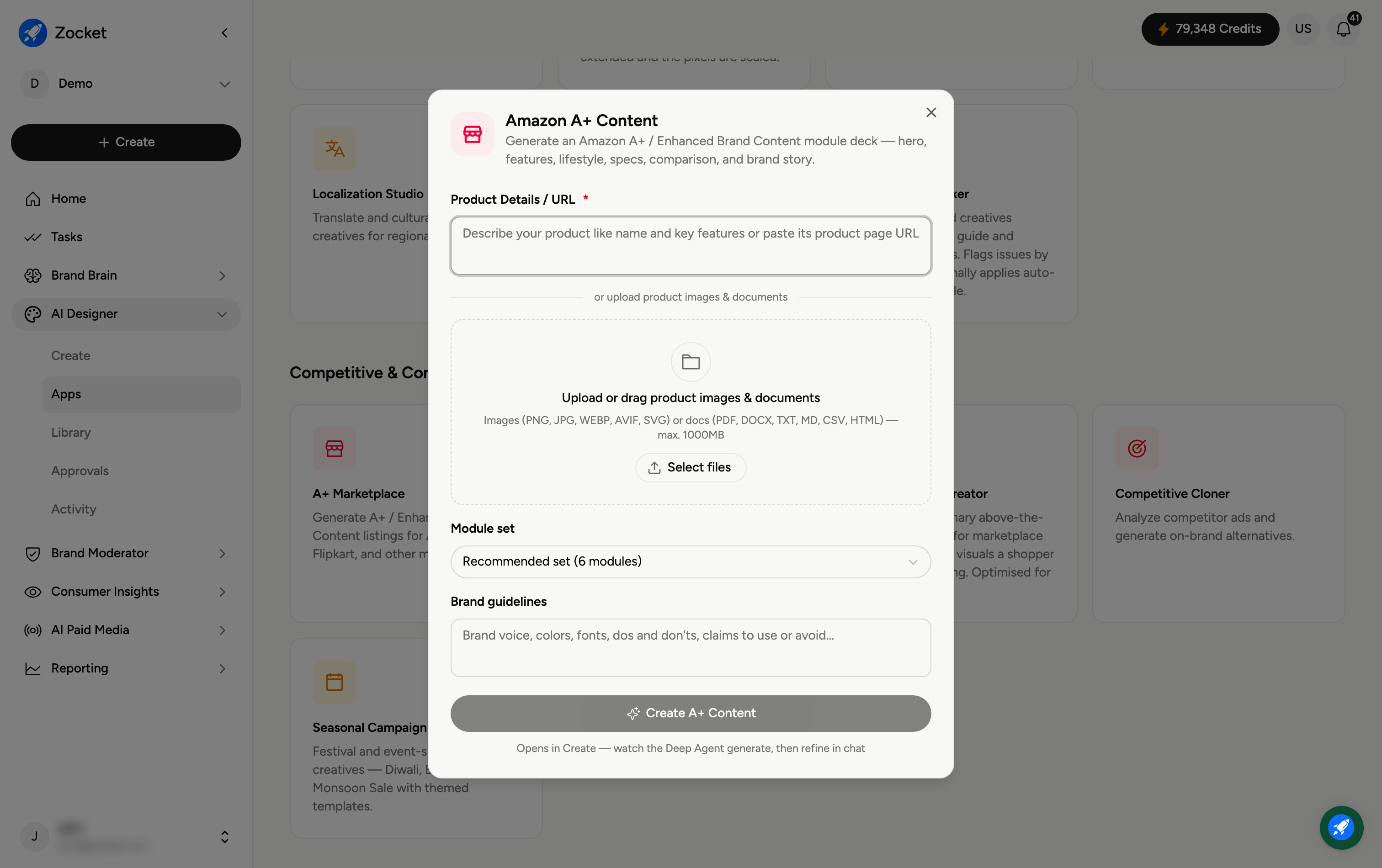
Step 1 — Describe your product and upload
Enter Product Details / URL (required), then upload product images and documents — images (PNG, JPG, WEBP, AVIF, SVG) or docs (PDF, DOCX, TXT, MD, CSV, HTML) so the modules use accurate specs and visuals.
Step 2 — Choose a module set and add brand guidelines
Module set — how many modules the deck includes (for example, the Recommended set of six modules).
Brand guidelines — brand voice, colours, fonts, dos and don'ts, and claims to use or avoid.
Step 3 — Create A+ content
Click Create A+ Content. It opens in Create, where the agent builds the module deck and you refine in chat. The finished modules are saved to your Library, ready for your marketplace listing.
Frequently Asked Questions
What is A+ / Enhanced Brand Content?
The rich image-and-text module section on a marketplace product page (below the buy box) that tells your product's story with hero images, feature callouts, comparisons, and specs.
Which modules do I get?
Typically hero, features, lifestyle, specs, comparison, and brand story — the Module set controls how many are included.
How is this different from Amazon Brand Store?
A+ Marketplace builds the content for a product listing page. Amazon Brand Store builds a whole multi-page storefront (its own guide).
Why add brand guidelines?
So the copy and visuals stay on-brand and avoid claims you're not allowed to make.
Where does it go?
To your Library (AI Designer → Library) for export to your marketplace.