
Amazon Brand Store generates modular page assets for your Amazon Brand Store — hero banners, product tiles, lifestyle modules, and navigation elements. A whole storefront, not just a single listing. Open it from AI Designer → Apps → Amazon Brand Store.
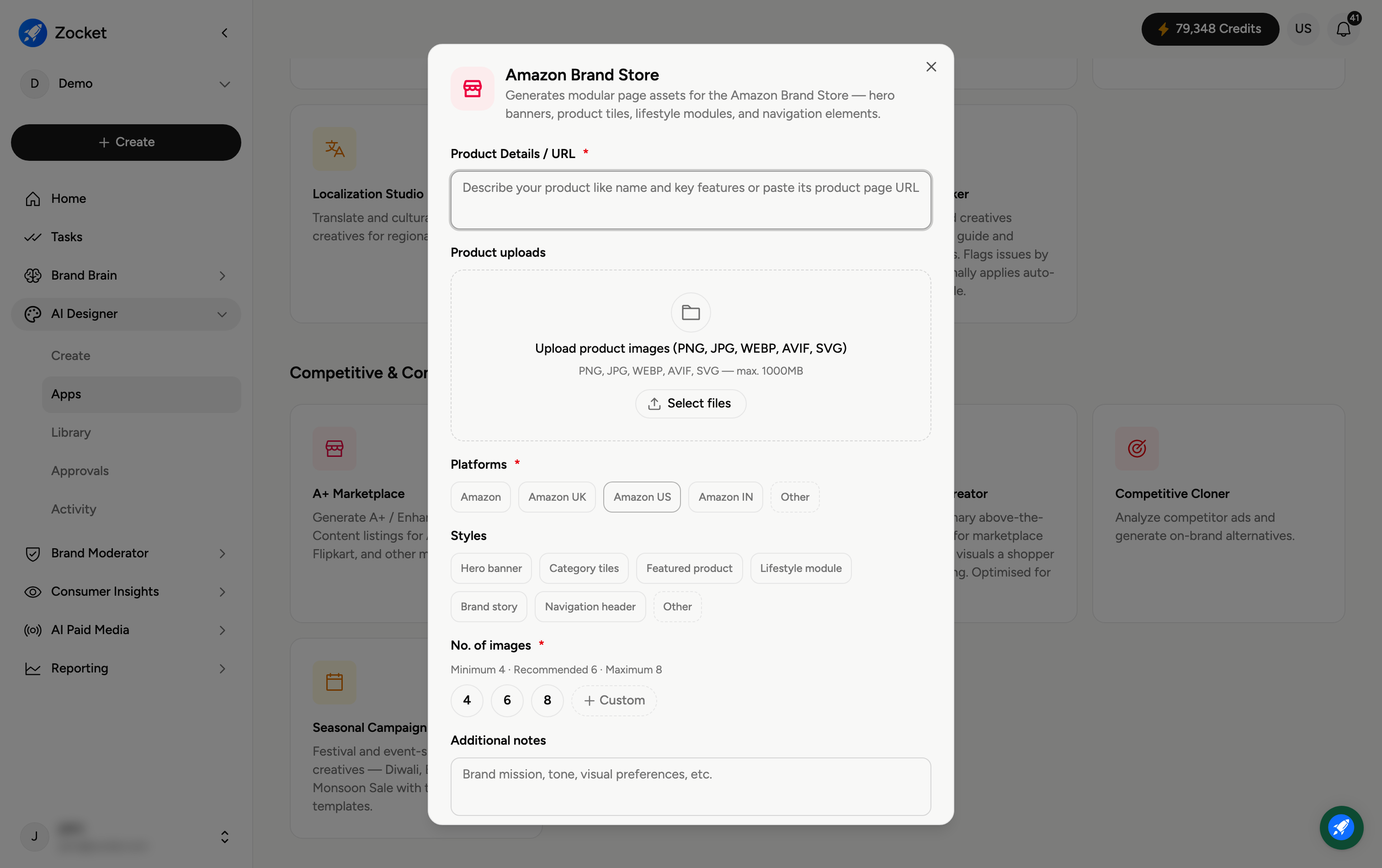
Step 1 — Describe your product and marketplaces
Enter Product Details / URL (required) and Upload product images. Choose the Platforms (required) — Amazon, Amazon UK, Amazon US, Amazon IN, or Other — so the assets match the right marketplace.
Step 2 — Pick store styles and count
Styles — the page elements to generate: Hero banner, Category tiles, Featured product, Lifestyle module, Brand story, Navigation header, or Other.
No. of images (required) — 4, 6, or 8.
Step 3 — Create the brand store
Add Additional notes (brand mission, tone, visual preferences), then click Create Brand Store. It opens in Create, where you refine in chat; the store assets are saved to your Library.
Frequently Asked Questions
How is this different from A+ Marketplace?
Amazon Brand Store builds the assets for a multi-section storefront (hero, tiles, navigation). A+ Marketplace builds the enhanced content on a single product listing page.
What are the different styles for?
Each maps to a part of the store — a hero banner up top, category tiles for browsing, featured-product and lifestyle modules, a brand-story section, and a navigation header.
Can I target a specific Amazon marketplace?
Yes — pick Amazon UK, US or IN (or Other) so sizing and conventions fit that store.
Do I need to generate every style?
No — select just the sections you need for your store layout.
Where do the assets go?
To your Library (AI Designer → Library) for export to Amazon.