
Above-the-Fold Creator generates the primary above-the-fold creative pack for marketplace listings — the first visuals a shopper sees before scrolling, optimised for conversion. Open it from AI Designer → Apps → Above-the-Fold Creator.
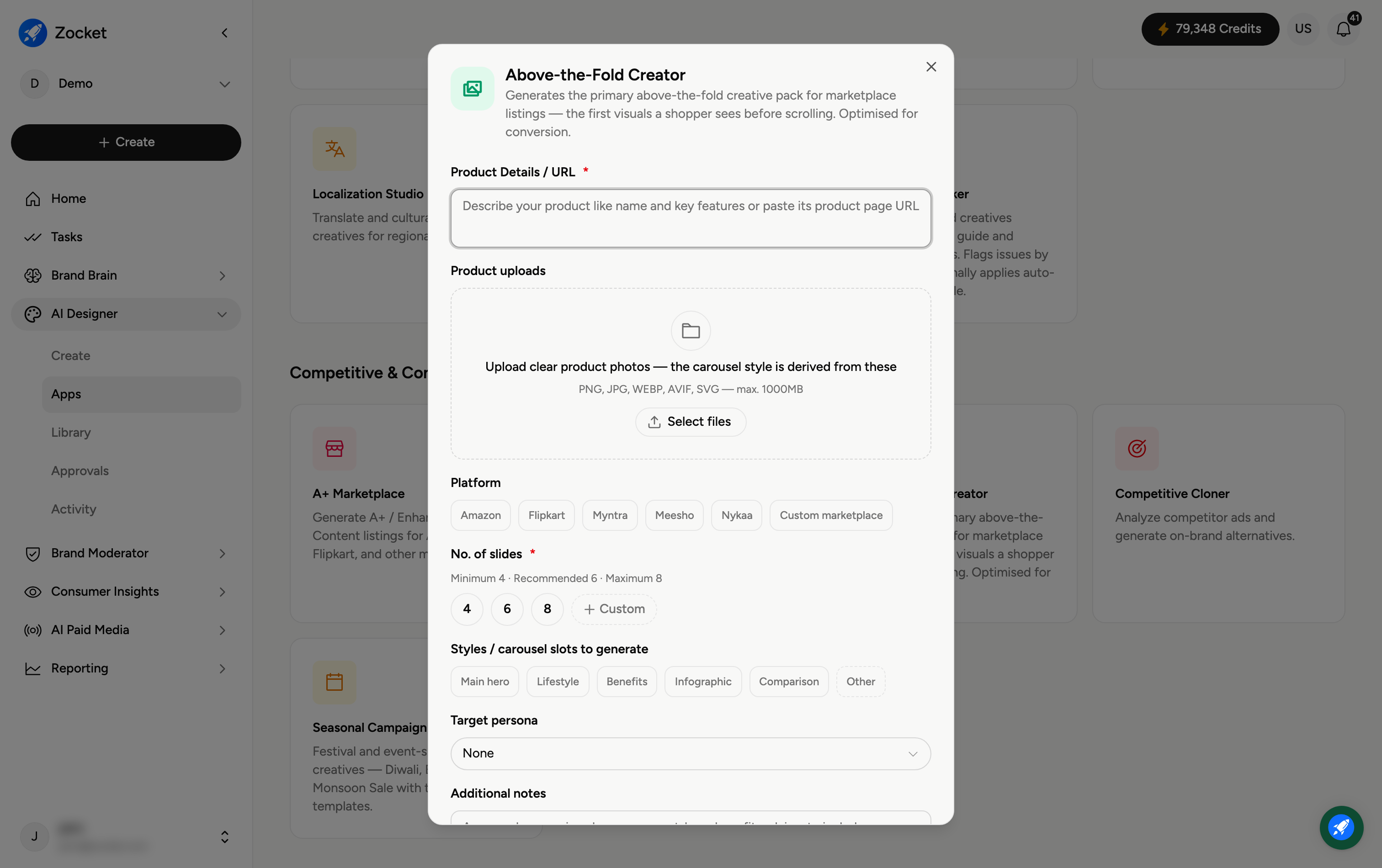
Step 1 — Describe your product and marketplace
Enter Product Details / URL (required) and upload clear product photos (the carousel is derived from these). Pick the Platform — Amazon, Flipkart, Myntra, Meesho, Nykaa, or Custom marketplace.
Step 2 — Set slides and slot styles
No. of slides (required) — 4, 6, or 8.
Styles / carousel slots — which slots to generate: Main hero, Lifestyle, Benefits, Infographic, Comparison, or Other.
Target persona — optionally tailor the pack to a specific shopper.
Step 3 — Create the carousel
Add Additional notes (approved comparison language, must-have benefits, claims to include, scenes to avoid), then click Create Carousel. It opens in Create, where you refine in chat; the pack is saved to your Library.
Frequently Asked Questions
What's "above the fold" on a marketplace?
The first images in a product-listing gallery — what a shopper sees before scrolling. They do most of the convincing, so they're optimised for conversion.
How is this different from Carousel Creator?
This is purpose-built for marketplace listing galleries (hero, benefits, infographic, comparison slots) and marketplaces like Amazon, Flipkart and Nykaa. Carousel Creator is for social carousels on Instagram and Facebook.
Which slots should I include?
Typically Main hero, Benefits, Infographic and Comparison — the slides that answer a shopper's key questions fastest.
What does Target persona do?
Tailors messaging and framing to a specific shopper type, if you have one in mind.
Where does the pack go?
To your Library (AI Designer → Library) for export to your listing.