
Competitive Cloner analyses a competitor's ad and generates an on-brand alternative. You upload a competitor ad, tell it your product, and tick exactly what to borrow — it extracts only those dimensions, replaces every competitor element with your brand, and hands back a strategic alternative you can ship. It is never a straight copy. Open it from AI Designer → Apps → Competitive Cloner.
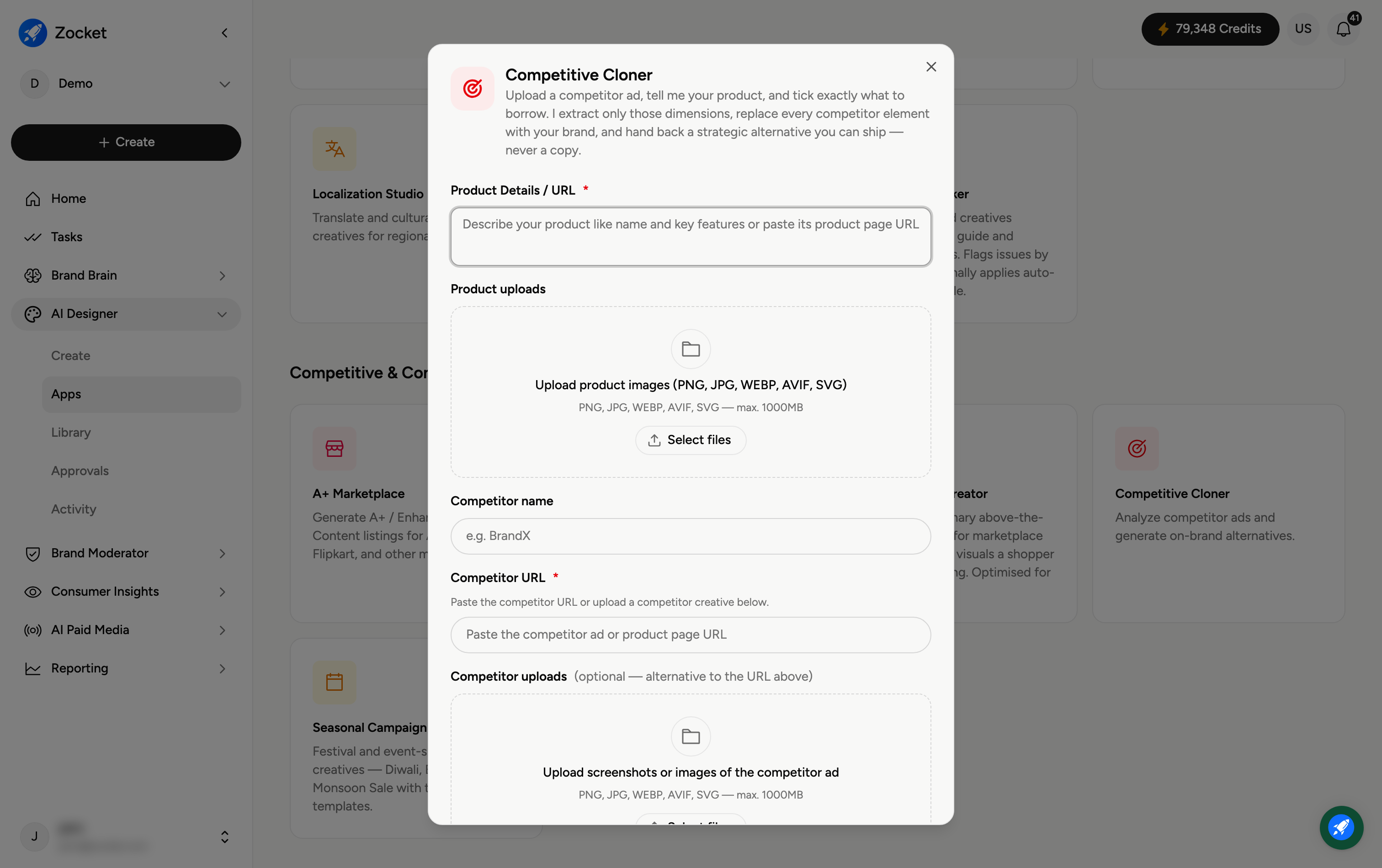
Step 1 — Add your product and the competitor
Product Details / URL (required) and Product uploads — your product, so it can replace the competitor's.
Competitor name — for example "BrandX".
Competitor URL (required) — paste the competitor ad or product page.
Competitor uploads (optional) — or upload screenshots and images of the competitor ad.
Step 2 — Choose what to emulate and how many
Adapt — what to emulate (required) — tick only what to borrow: Layout, Color Structure, Copy Style, Offer Framing, Visual Composition, or Other.
No. of images (required) — 1, 2, or 3.
Step 3 — Generate your alternative
Add any Additional notes (scene, tone, composition), then generate. It opens in Create, where you refine in chat; the on-brand alternative is saved to your Library.
Frequently Asked Questions
Does it copy the competitor's ad?
No. It borrows only the strategic dimensions you tick (for example layout or offer framing) and rebuilds everything with your brand and product — a strategic alternative, not a clone.
What should I tick under "what to emulate"?
Only the element that's working for them — often the offer framing or layout. Leave the rest so your version stays distinctly yours.
Where do I find competitor ads to use?
Use the Content Discovery app (Meta Ad Library and Google Ads) to surface live competitor ads, then bring one here.
Do I need the competitor's URL and an upload?
The URL is required; the upload is optional — add screenshots if the URL doesn't capture the ad well.
Where does the result go?
To your Library (AI Designer → Library).