
Seasonal Campaign creates festival- and event-specific creatives (Diwali, Black Friday, Valentine's Day, and more). It turns one festival brief into a coordinated set — social posts, Stories, banners, print — that all share one declared festive visual language. Open it from AI Designer → Apps → Seasonal Campaign.
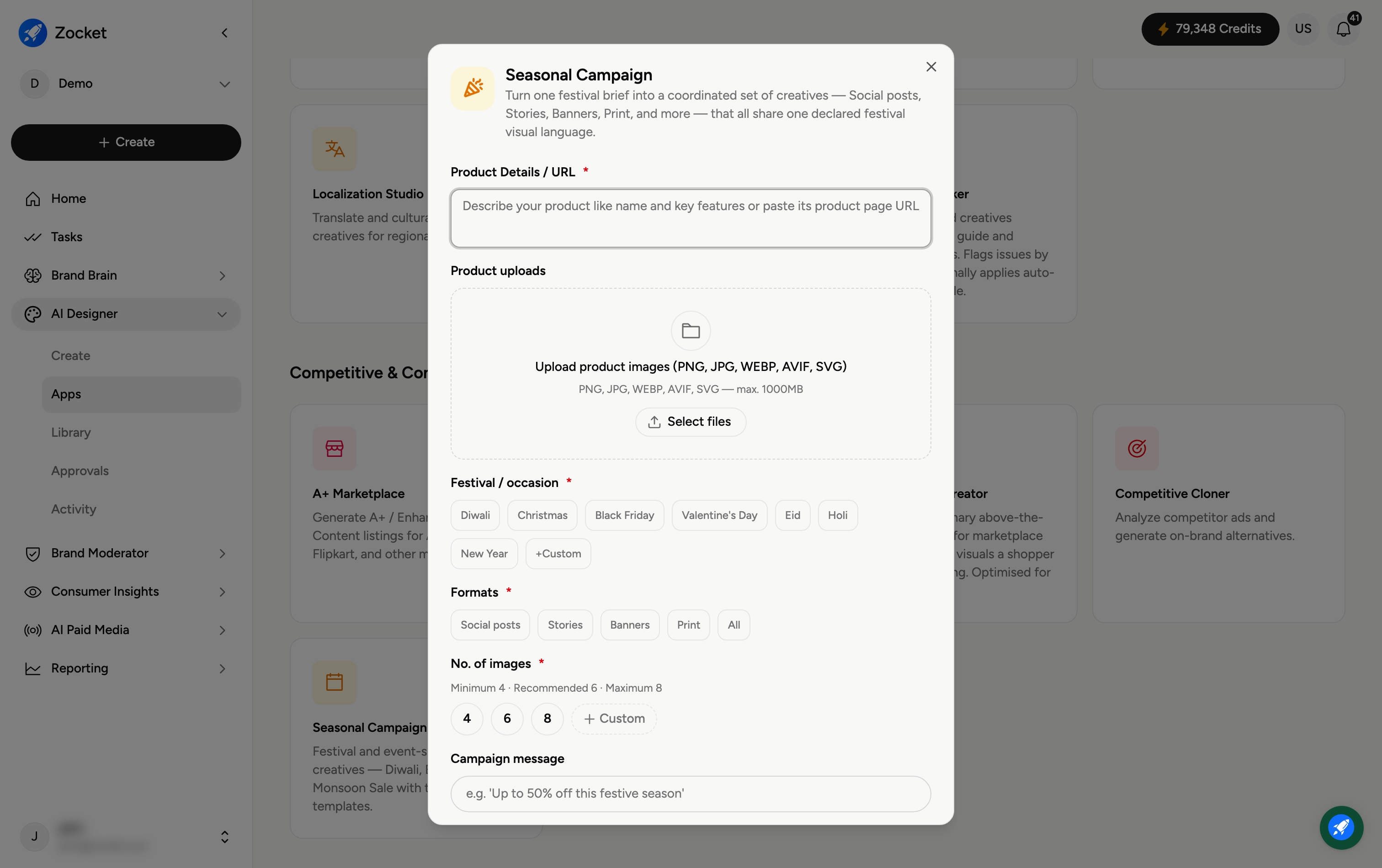
Step 1 — Describe your product and pick the occasion
Enter Product Details / URL (required) and Upload product images. Choose the Festival / occasion (required) — Diwali, Christmas, Black Friday, Valentine's Day, Eid, Holi, New Year, or a Custom occasion.
Step 2 — Choose formats and count
Formats (required) — Social posts, Stories, Banners, Print, or All.
No. of images (required) — 4, 6, or 8.
Campaign message — your headline or offer (for example, "Up to 50% off this festive season").
Step 3 — Create the campaign set
Add Additional notes (brand colours, tone, scene preferences), then click Create Campaign Set. It opens in Create, where you refine in chat; the whole coordinated set is saved to your Library.
Frequently Asked Questions
Why use this instead of making each asset separately?
Because everything shares one festive visual language — your Diwali post, Story, banner, and print piece all match automatically, instead of you re-theming each by hand.
Can I do a festival that isn't listed?
Yes — choose Custom and name the occasion (for example, "Back to School" or "Monsoon Sale").
Which formats should I include?
Pick All for a full launch, or just the channels you're running (for example Social posts and Stories for a purely social push).
Where does the campaign message go?
It's the offer or headline woven across every creative in the set — keep it short and specific.
Where does the set go?
To your Library (AI Designer → Library) for review and download.