
The Settings area is where you manage your account, keep an eye on your credit balance, connect other tools, and handle your team and billing. This guide shows how to get around Settings and how to track your credits.
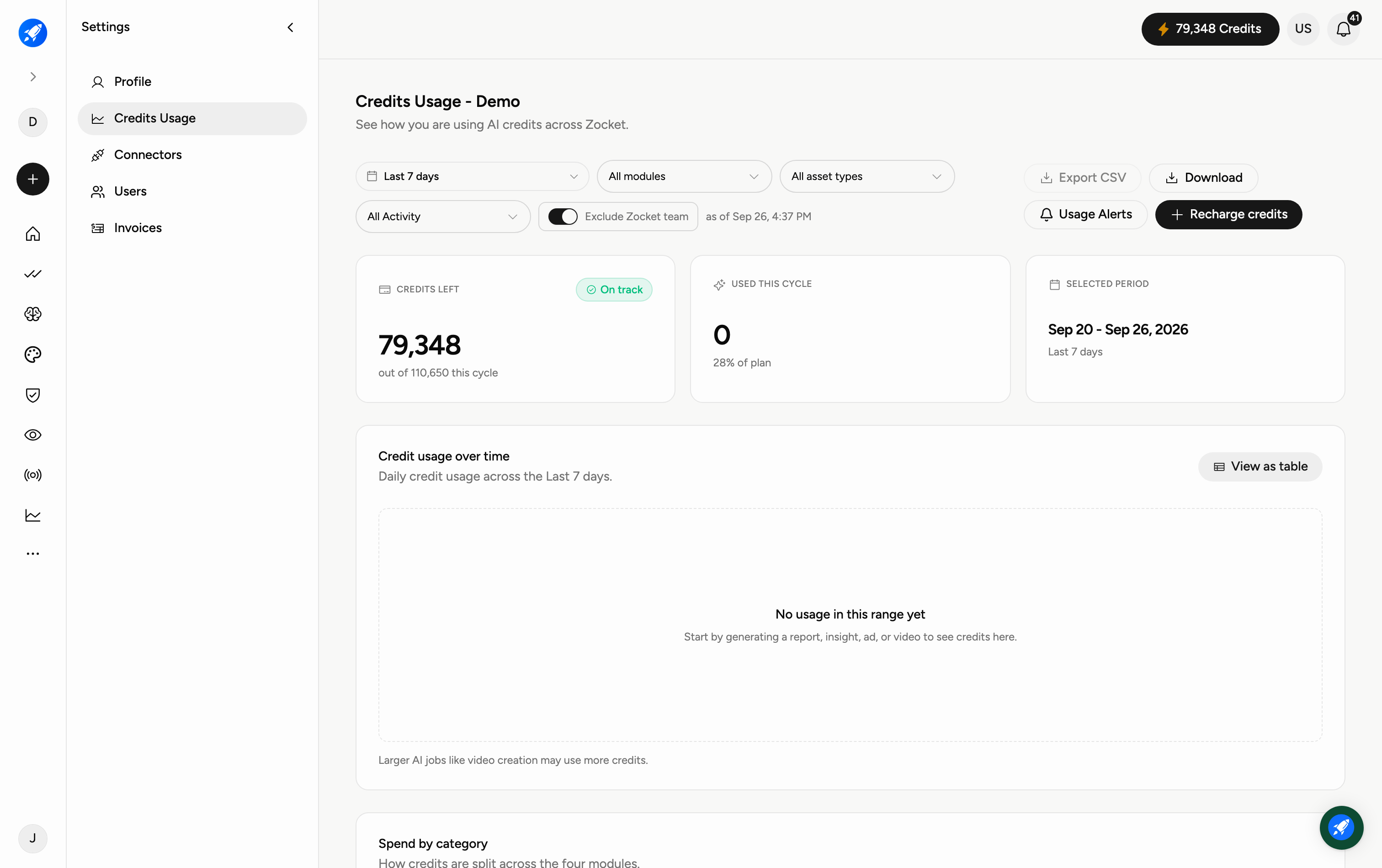
Step 1 — Find your way around Settings
The menu on the left of the Settings page has everything, grouped into five sections:
Profile — your personal account details.
Credits Usage — how many AI credits you have and how they're being spent.
Connectors — connect external accounts (such as ad and social platforms).
Users — add and manage the people on your team.
Invoices — your billing history and receipts.
Step 2 — Track your credit usage
Open Credits Usage to see your balance at a glance. Three cards summarise everything:
Credits Left — how many credits remain this cycle (with an "On track" indicator).
Used This Cycle — how many you've spent so far, and what share of your plan that is.
Selected Period — the date range the figures cover.
Use the date range, All modules and All Activity dropdowns to focus the numbers, and Exclude Zocket team to leave out activity from Zocket's own staff so you are only looking at your team's usage. The page stamps the time it was calculated. On the right you can Export CSV, Download report, set Usage Alerts to be warned before you run low, or Recharge credits to top up.
Step 3 — See your usage over time
Below the cards, the Credit usage over time chart shows your daily credit spend across the selected period, so you can spot spikes. Click View as table to see the same data as exact numbers.
Step 4 — See where the credits went
Two breakdowns sit under the chart:
Spend by category — how credits split across the four module groups: Brand Intelligence & governance, AI Designer, Brand Moderation & consumer research, and Ads Intelligence.
Credits by user — who spent them. Select a row to see what that person generated.
Frequently Asked Questions
What is a credit?
Credits are the balance you spend when Zocket generates something for you (images, videos, and other AI work). Bigger jobs — like video creation — use more credits.
How do I top up when I'm running low?
Click Recharge credits on the Credits Usage page. To avoid running out unexpectedly, set Usage Alerts so you're warned in advance.
Can I see how a specific module is using credits?
Yes. Use the All modules dropdown to filter usage to a single module, and the date-range dropdown to choose the period. Spend by category also splits the total across the four module groups without any filtering.
Who actually spent my credits?
The Credits by user table lists it per person. Select a row to see what that person generated.
What does "Exclude Zocket team" do?
It removes activity by Zocket staff from the figures, so you are only seeing your own team's consumption.
How do I add someone from my team?
Go to Users in the Settings menu to invite and manage team members.
Where do I find my invoices?
Open Invoices in the Settings menu for your billing history and receipts.
Can I download my usage data?
Yes — click Export CSV on the Credits Usage page to download the figures for the selected period.