
Your Profile is your personal account information in Zocket — your name, email, company, job title, and profile photo. Keeping it accurate helps teammates recognise you and helps Zocket tailor the experience to your role. Find it under Settings → Profile (open Settings from your name or avatar at the bottom-left).
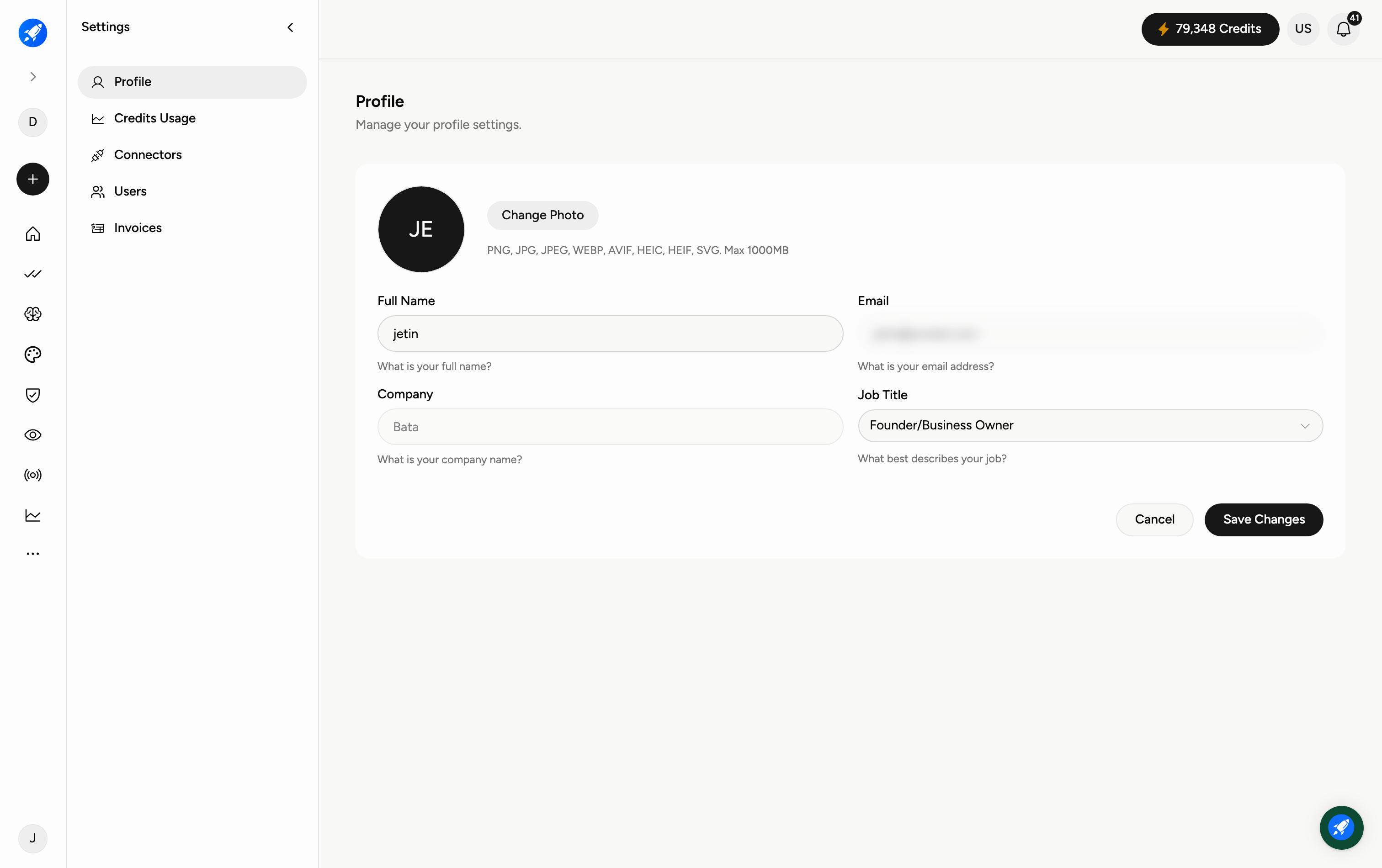
Step 1 — Open Settings → Profile
Go to Settings and choose Profile from the settings menu on the left. You'll see the Personal Information section.
Step 2 — Edit your details
Update your Full Name, Email, and Company. Use the Job Title dropdown to pick what best describes your role (Founder / Business Owner, Marketing / Growth, Creative / Design, Agency Owner / Manager, Performance Marketer, Content Creator, or Other).
Step 3 — Change your photo
Click Change Photo to upload a profile picture. Accepted formats are PNG, JPG, JPEG, WEBP, AVIF, and SVG, up to 1000MB.
Step 4 — Save
Click Save Changes to apply your updates, or Cancel to discard them.
Frequently Asked Questions
Where do I find my profile settings?
Settings → Profile. Open Settings from your name or avatar at the bottom-left of the sidebar.
What image formats can I use for my photo?
PNG, JPG, JPEG, WEBP, AVIF, or SVG.
Does changing my job title affect anything?
It helps Zocket tailor suggestions to your role; it doesn't change your permissions. Your access level is managed under Settings → Users.
I changed a field but it didn't stick — why?
Make sure you clicked Save Changes. Navigating away without saving discards edits.
Is my Profile the same as my Billing details?
No. Personal details live in Profile; company billing details live in Settings → Invoices & Billing.