
Approvals is where creative work is reviewed and signed off before it goes live. Everyone can see what's waiting, who needs to approve it, and where each request stands. Open it from AI Designer → Approvals.
Why you'd use it
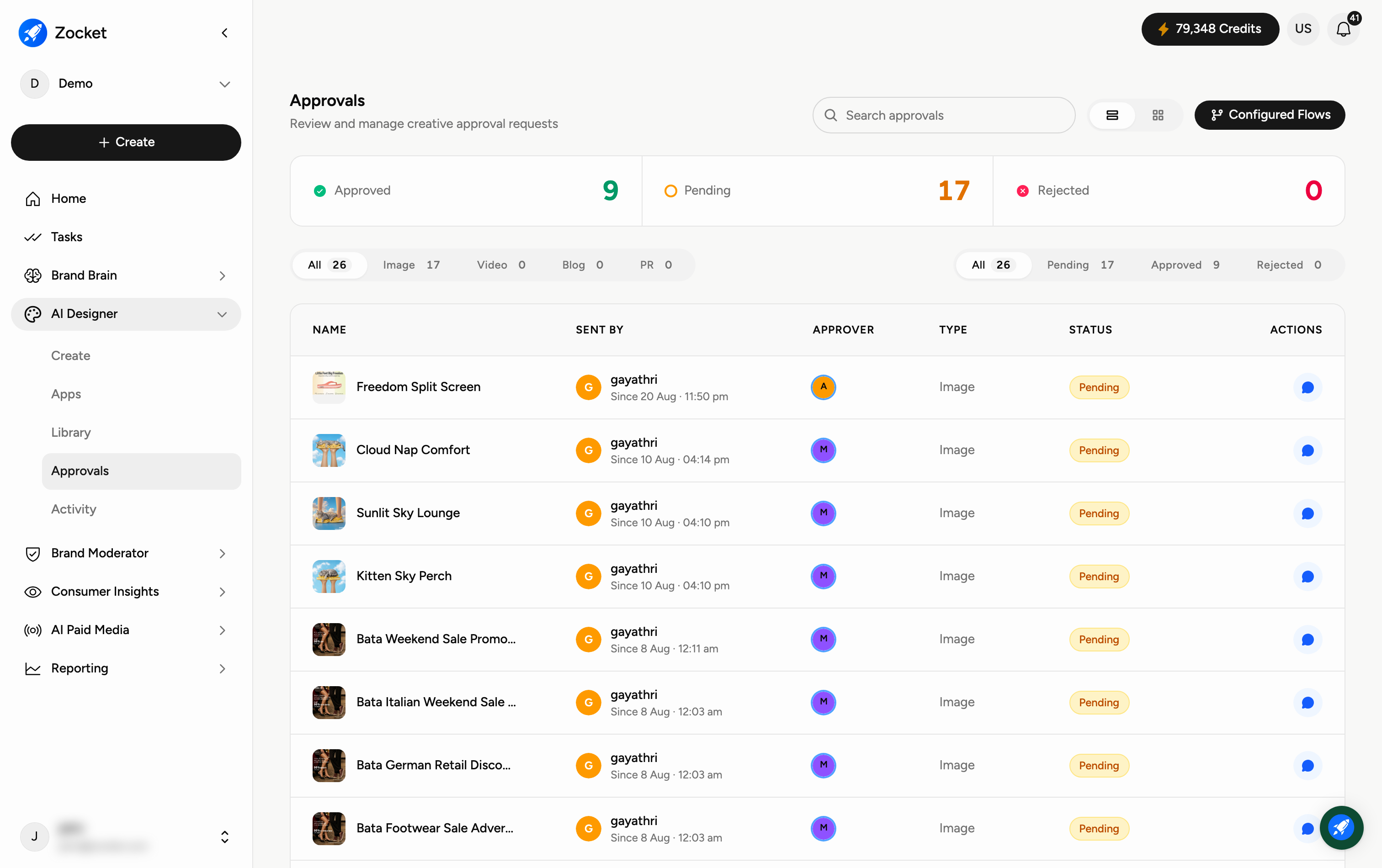
The creative approval queue. Every image, video, concept, or storyboard your team submits lands here with a clear status, Pending, Approved, or Rejected, and a named approver. Configured Flows let you define who must sign off on what, so nothing ships without the right eyes on it.
Step 1 — See approval status at a glance
The three tiles at the top show how many requests are Approved, Pending, and Rejected — so you instantly know if anything is waiting on you. The Configured Flows button (top-right) is where approval rules are set up: who reviews which kind of creative, and in what order.
Step 2 — Review a request
Each row is one approval request. The columns tell you everything: Name (what it is), Sent By (who submitted it and when), Approver (who signs off), Type (Concept, Image, Video, and so on), Status (with who approved it and when), and Actions (open the comment icon to discuss or leave feedback).
Use the tabs above the table to filter by type (All, Image, Video, Blog, PR) or by status (Pending, Approved, Rejected), and the Search approvals box to find a specific request.
When to come here
Daily if you're an approver, clear the Pending count. Before a campaign ships, to confirm every asset cleared its flow. During onboarding, to set up the client's Configured Flows to mirror their internal sign-off chain (brand → compliance → legal, for regulated industries).
Frequently Asked Questions
How do I know if something is waiting for me?
Check the Pending tile and the Pending tab — anything there still needs a decision. Requests where you're the Approver are yours to action.
How do I leave feedback instead of just approving?
Use the comment icon in the Actions column to discuss the creative with the person who submitted it.
What are "Configured Flows"?
They're the rules that decide who approves what — for example, images go to one reviewer and videos to another. Set them up once and requests route automatically.
What do the types (Concept, Image, Video, Blog, PR) mean?
They describe what's being approved, so you can filter the queue to just the kind of work you care about.
Can I find an old request?
Yes — use the Search approvals box or the Approved and Rejected filters to look back through past decisions.